
To view the Time & Attendance Log
1. Go to Accountability: Time & Attendance. The following page opens.
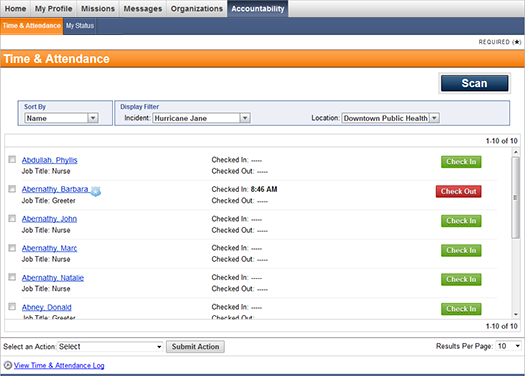
2. Click
the  link at the bottom of the page. The following
page opens.
link at the bottom of the page. The following
page opens.
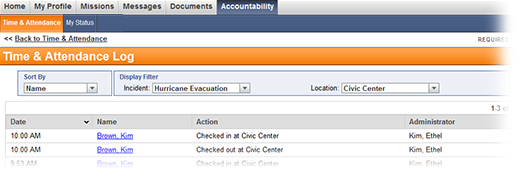
● Use the Sort By menu to sort the log entries by date, responder name, action, or administrator. It is also possible to sort by clicking on each column header.
● Use Display Filter to filter the log by incident and location.